
- Bestand
-
Ontwerpen
-
-
Alle categorieën -
Category #1 - Nieuwe categorie
-
Mijn ontwerpen
-
- Afdrukken
- Delen
-
Help
-
Snelle hulp
- ctrl+a
Select all objects
ctrl+d Double the activate object
ctrl+e Clear all objects
ctrl+s Save current stage to my design
ctrl+o Open a file to import design
ctrl+p Print
ctrl++ Zoom out
ctrl+- Zoom in
ctrl+0 Reset zoom
ctrl+z Undo changes
ctrl+shift+z Redo changes
ctrl+shift+s Download current design
delete Delete the activate object
← Move the activate object to left
↑ Move the activate object to top
→ Move the activate object to right
↓ Move the activate object to bottom
shift+← Move the activate object to left 10px
shift+↑ Move the activate object to top 10px
shift+→ Move the activate object to right 10px
shift+↓ Move the activate object to bottom 10px - Custom help content

Copyright © 2022 Conselis
All Rights Reserved.Powered by Lumise version 2.0.2
-
- Shop
- Ongedaan maken
- Opnieuw
-

-
 English
-
 German
-
 French
-
Dutch
Talen
-
- 0.0
-
Mijn winkelwagen
-
Ga door naar de volgende stap
- Terug naar winkel
- Ontwerp
- Afbeeldingen
- Tekst
Klik of zet afbeeldingen hier neer
Klik of sleep om tekst toe te voegen


Bugrapportage
Laat het ons weten als u bugs in deze ontwerptool tegenkomt of gewoon uw mening geeft om de tool te verbeteren.
Tips: als je inhoud met schermafbeeldingen of video's wilt verzenden, kun je deze uploaden naar imgur.com of een willekeurige schijfservice en plaats hier links.
-
Begin met ontwerpen door objecten vanaf de linkerkant toe te voegen
- Alle geselecteerde objecten zijn gegroepeerd | Degroeperen?
- Groepeer objecten Groepeer de positie van geselecteerde objecten
-
-
Vulopties
Deze kleur opslaan
-
- QR-code maken
-
Opties
-
Lijn de positie van het actieve object automatisch uit met andere objecten -
ON: Behoud alle huidige objecten en voeg de sjabloon toe aan<br> OFF: Wis alle objecten voordat u de sjabloon installeert -
Vervang het geselecteerde afbeeldingsobject in plaats van een nieuw object te maken
-
- Afbeelding vervangen
- Bijsnijden
-
Masker
-
Selecteer maskerlaag
-
-
Achtergrond verwijderen
-
Achtergrond verwijderen
-
Diep:
-
Modus:
-
-
Filters
-
Filters
-
- Original
- B&W
- Satya
- Doris
- Sanna
- Vintage
- Gordon
- Carl
- Shaan
- Tonny
- Peter
- Greg
- Josh
- Karen
- Melissa
- Salomon
- Sophia
- Adrian
- Roxy
- Singe
- Borg
- Ventura
- Andy
- Vivid
- Purple
- Thresh
- Aqua
- Edge wood
- Aladin
- Amber
- Anne
- Doug
- Earl
- Kevin
- Polak
- Stan
-
Helderheid:
-
Verzadiging:
-
Contrast:
-
- Filters wissen
- Klik en sleep vervolgens de muis om te beginnen met tekenen. Ctrl+Z = undo, Ctrl+Shift+Z = redo
- QRCodetekst
-
Vulopties
-
Vulopties
Deze kleur opslaan
-
Transparant:
-
Streekbreedte:
-
Lijnkleur:
-
- Degroepeer positie
-
Lagen rangschikken
-
Positie
-
Objectpositie
Objectpositie vergrendelen:
-
Midden verticaal
-
Linksboven
-
Middenboven
-
Rechtsboven
-
Centrum horizontaal
-
Midden links
-
Midden midden
-
Midden rechts
- Druk op &linkerpijl;
-
Linksonder
-
Middenonder
-
Rechtsonder
-
-
Transformeert
-
Roteren:
-
Skew X:
-
Schef Y:
-
Omdraaien X:
Omdraaien Y:
Gratis transformatie door op SHIFT ⤡ te drukken
-
-
Lettertypefamilie
-
Tekst bewerken
-
Tekst bewerken
-
-
Lettergrootte:
-
Letterafstand
-
Lijnhoogte
-
-
Teksteffecten
-
Teksteffecten
-
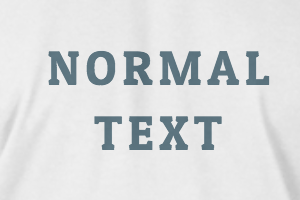

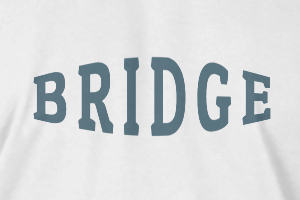
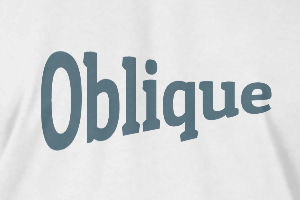
-
Straal
-
Spatiëring
-
Curve
-
Hoogte
-
Offset
-
Drietand
-
-
Tekst uitlijnen
- Hoofdletters / kleine letters
- Lettertypegewicht vet
- Tekststijl cursief
- Tekst onderstreept
Scroll to zoom